![Envision-Logo-Positive (2)-1.png]](https://help.envisioncreates.com/hs-fs/hubfs/Envision-Logo-Positive%20(2)-1.png?height=21&name=Envision-Logo-Positive%20(2)-1.png)
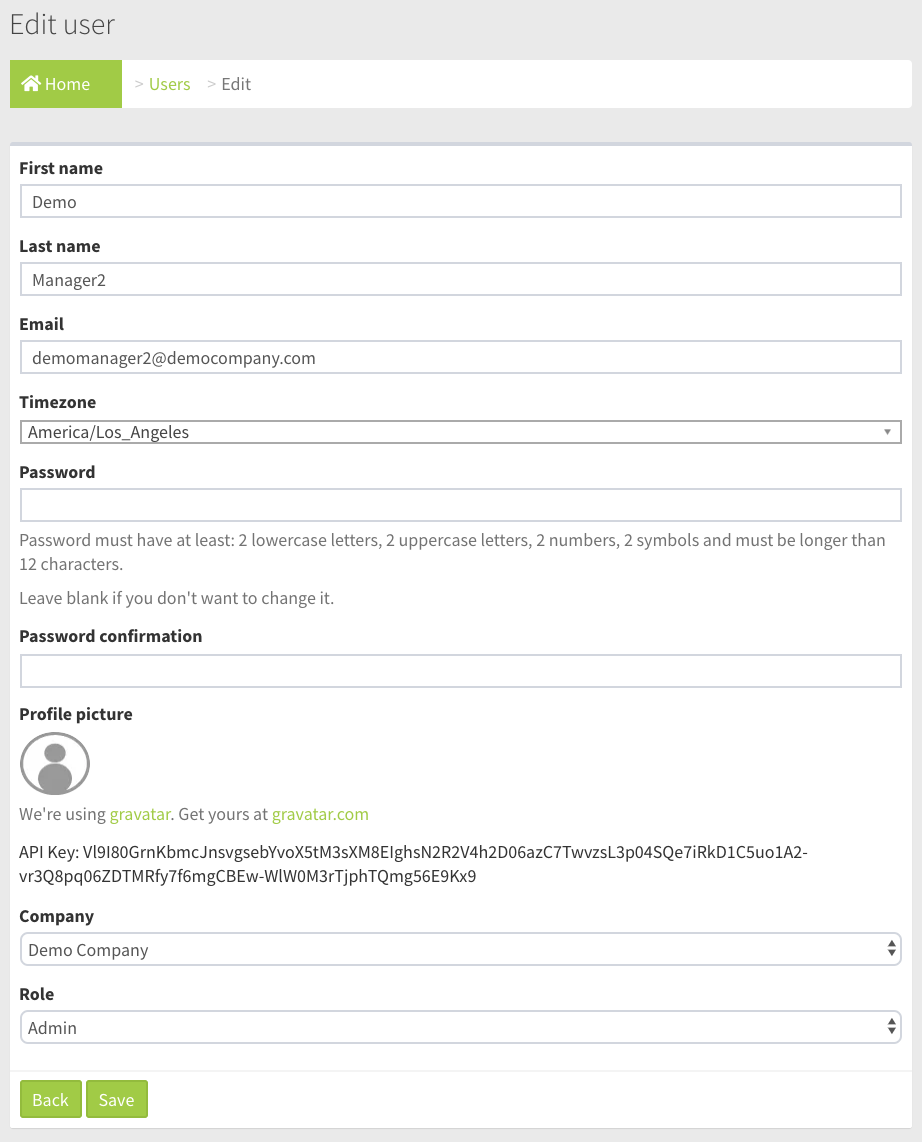
Field and Button Descriptions
First name
The user's first name.
Last name
The user's last name.
The user's email address.
Timezone
The user's timezone.
Password
The password for the user. When creating the user a placeholder password can be assigned. Note that security requirements standardize password strength with 12 characters or more including 2 lowercase, 2 uppercase, 2 numbers and 2 symbols.
If editing a user but not wanting to change the password then simply leave the field blank.
Profile picture
Setup your Gravatar profile image at gravatar.com.
Company
The company or sub-company the user belongs to. Setting the user to a sub-company will keep them from viewing any of your company owned layouts, playlists or media library files.
Role
Roles dictate what level of visibility and control someone has over the company devices.
Admin
Ability to perform all actions, view all devices, add/edit/delete playlists, add/edit/delete new users, and add/edit/delete new sub-companies, etc.
Users
Users have visibility over only devices whitelisted to them by an Admin in the User section. Users can edit playlists, but cannot create or delete them.
Viewers
Viewers have visibility over only devices whitelisted to them by an Admin in the User section only.
Save button
The user will be created or their edited information saved once the Save button is pressed.